Vertical creator resource hub

AI TikTok Video Maker: Turn Images Into Viral TikToks in 60 Seconds

TikTok is not simply a smaller television screen. It is a full-screen, sound-on-or-captioned feed where viewers decide almost instantly whether to stay. An effective AI TikTok clip therefore needs a vertical composition, motion in the first half-second, one easy-to-read visual idea, and enough contrast to survive a bright phone screen. Long cinematic setup shots often lose before the interesting moment arrives.

Zvidy helps you generate the core visual shot, not fake an entire publishing workflow. Start from a prompt or product image, choose a model that exposes 9:16 when needed, create a short hook, watch the task on this page, and download the result. Add trending sounds, accurate captions, disclosures, cuts, and the final post inside TikTok or your editor—where those platform-native decisions belong.

  • 9:16 creator presets
  • Motion-first hooks
  • Text or image input
  • Clean HD clip export
9:16
9:16
9:16

Working generator

Upload, generate, and see the result here

Live task status below
视频描述
0/1000
提示:电影感、特写、慢动作、4K
模型
会员模型-40 积分

Zvidy generates the visual clip. Add licensed trending sound, captions, stickers, and publishing metadata after download.

我的生成

最新生成的视频、播放和下载入口都会显示在这里。

这里还空着——你生成的视频会出现在这里。

点击生成后,实时渲染卡片会自动出现在这里。

Creator workflow playbook

How Top TikTok Creators Use AI Video

Strong TikTok creative is designed for the vertical feed, not cropped into it afterward. Start with 9:16, keep the subject large enough to read on a phone, and make something happen in the first 0.5 seconds. AI video is most useful when it produces one clear visual beat that you can combine with a trending sound, native captions, and a concise call to action in TikTok.

The three workflows below cover product, story, and transformation content. Each prompt names the opening hook first, then the subject, movement, camera, and mood. Generate several short variations, compare the opening half-second, and keep the version whose motion is understandable before the viewer has time to scroll.

Scene 01

1. Product showcase: turn a pack shot into a moving reveal

Beauty and ecommerce creators can animate a clean product photograph instead of arranging a full studio shoot. Begin with a rapid zoom-in or an immediate texture change: droplets hitting a skincare bottle, powder lifting around a compact, or a highlight moving across metallic packaging. Hold the brand label steady while the environment supplies the drama. A five-second clip is long enough for a hook, benefit caption, and final product frame.

Prompt example

9:16 skincare ad; in the first 0.5 seconds, fast zoom into a serum bottle on wet black stone; water droplets burst outward, then slow into a smooth orbit; preserve label and bottle shape; premium violet rim light, macro detail.

Scene 02

2. Storytelling: animate one old photo into a 15-second memory

A single family photograph can become the emotional center of a short story. Use restrained motion—natural blinking, a small smile, fabric moving, or a slow camera push—so the person remains recognizable. Place the five-second AI clip at the beginning, add two or three still details afterward, and let a trending sound carry the emotional arc. On-screen text can establish the year, relationship, and reveal without inventing facts.

Prompt example

Animate this old portrait in 9:16; immediate gentle eye movement, then a subtle smile and soft breeze through clothing; slow handheld push-in; preserve facial identity, period clothing, grain, and original lighting; warm nostalgic mood.

Scene 03

3. Before and after: make the change readable instantly

Transformation formats work for renovation, fitness, skincare, restoration, and organization. Animate the “before” and “after” images separately with matching camera direction, then join them on the beat. Keep framing consistent so the change is obvious. The first shot should create tension; the second should deliver motion, brighter light, or a confident camera move. Avoid claims the visuals cannot prove, especially in health or beauty content.

Prompt example

9:16 room makeover reveal; start with a fast push through the dim unfinished room, whip-pan transition at 0.5 seconds, land on the bright finished interior with curtains moving and sunlight sweeping across the floor; same camera height and layout.

Treat AI as the shot generator, then finish with TikTok-native music, captions, disclosures, and pacing. A clear 9:16 composition plus immediate first-frame motion will usually do more for retention than adding extra subjects or complicated action.

See it in action

From source image to moving shot

These visual examples show the kind of controlled motion brief each page is designed around.

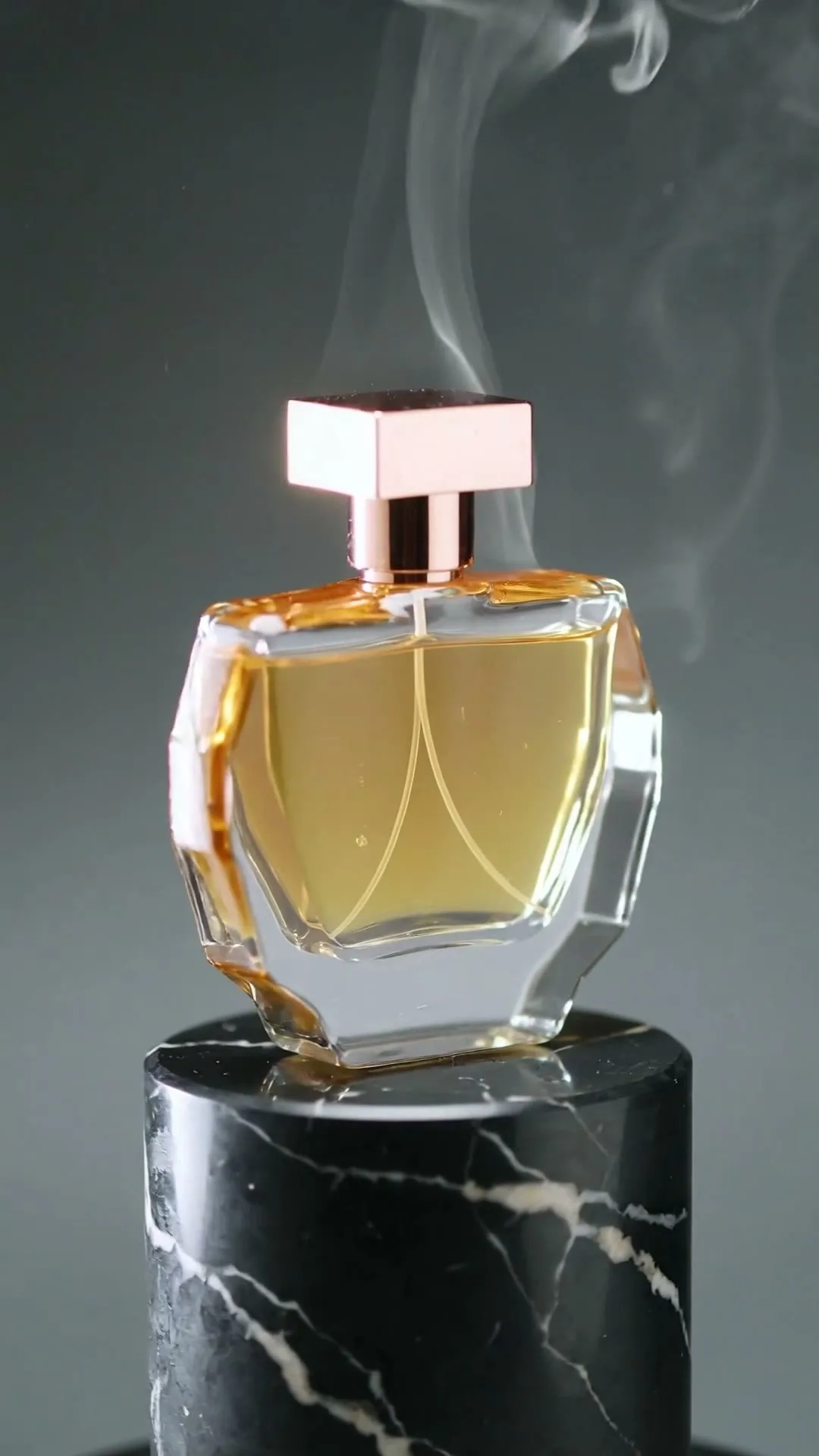
9:16

Product reveal hook

Immediate light change and camera push-in, composed for the vertical safe zone.

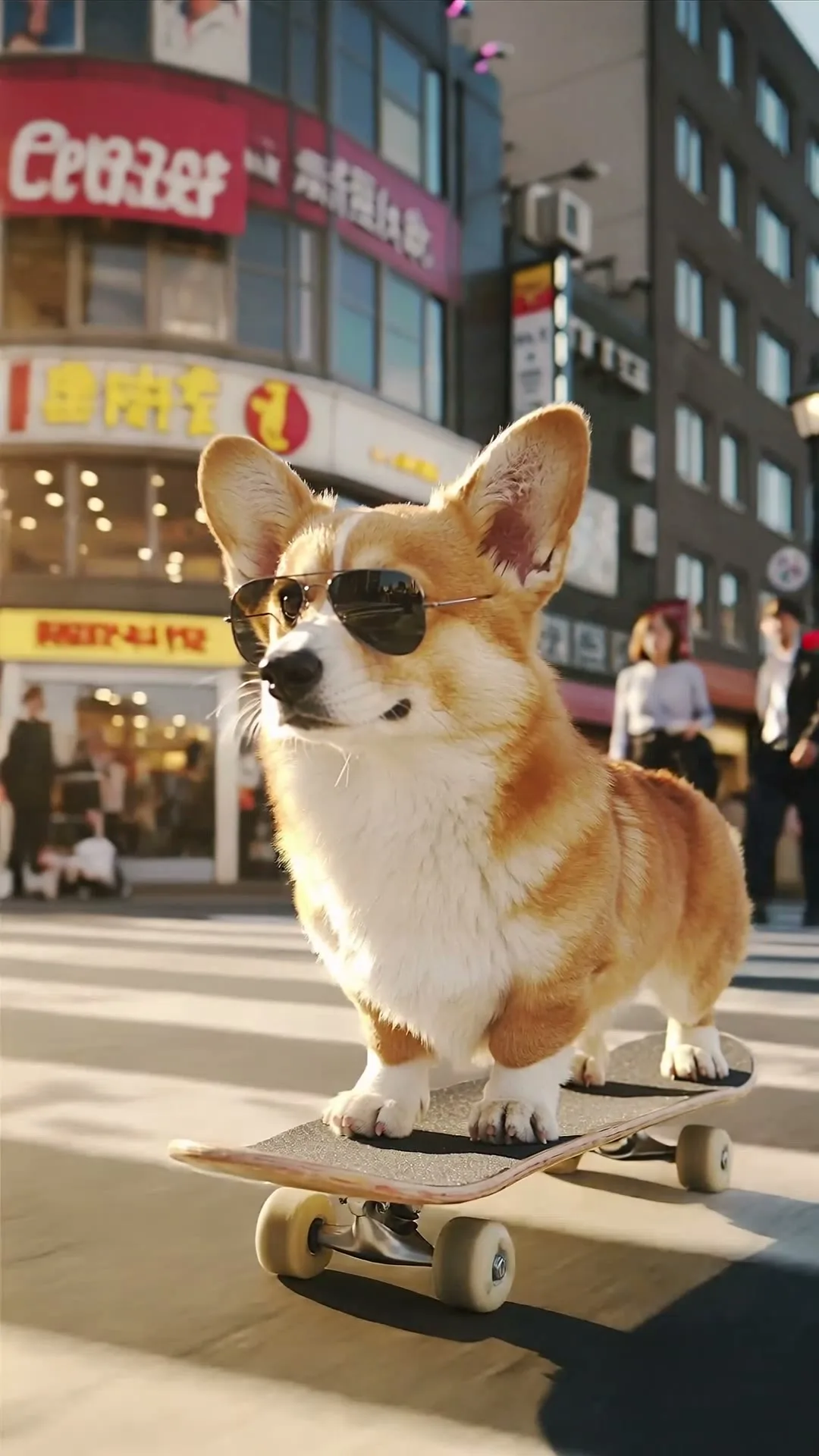
9:16

Playful character motion

Readable subject, instant movement, and creator-style energy.

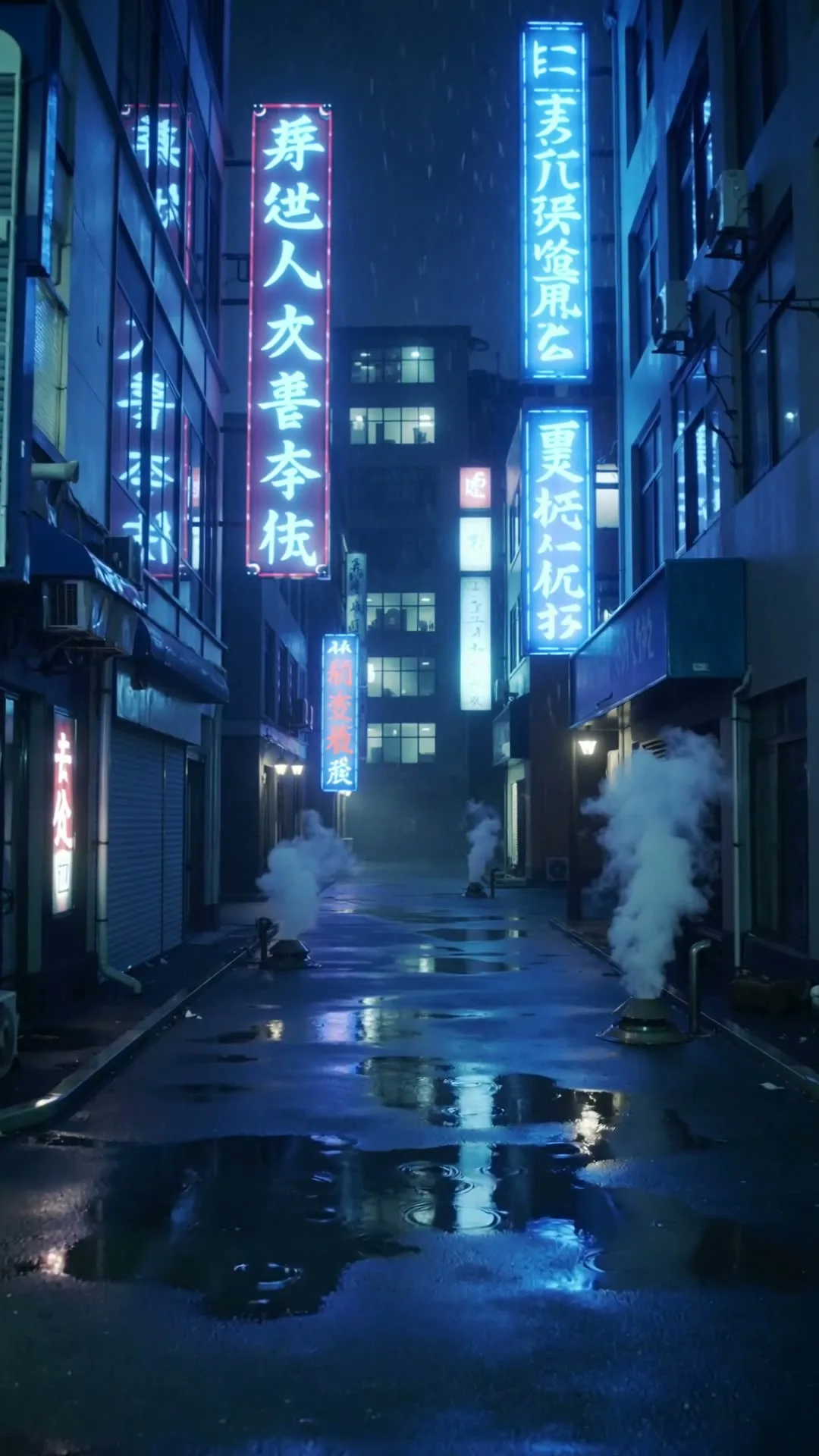
9:16

Neon mood opener

High contrast survives the mobile feed and gives captions room.

Plain-English guide

Why TikTok videos need a specialized AI approach

First, the canvas is vertical. A 9:16 frame rewards a single dominant subject, foreground-to-background depth, and movement toward or away from the viewer. Wide scenes with several equally important subjects shrink into confusion. If you are animating an image, crop it vertically before upload or choose 9:16 on a model that provides ratio controls. Keep important details away from the bottom caption area and right-side interface controls.

Second, the first 0.5 seconds are part of the concept. Do not spend two seconds establishing a room before the product moves. Begin with a change: the bottle lands, the eye opens, the camera rushes closer, the light switches on, or the object transforms. A prompt can state this explicitly: “Immediate motion on frame one” or “hold for only 0.3 seconds, then reveal.” Generation cannot guarantee retention, but it can put the visual payoff where retention is won or lost.

Third, TikTok has a sound culture. Trending audio, voiceover, captions, beat timing, and meme context help a clip feel native. Zvidy’s current output should be treated as the visual layer. Generate motion with a clear beat point—“zoom on the beat drop” or “glitch reveal after a half-second pause”—then align that moment to licensed audio in the platform editor. Never assume an AI video is viral by itself; test hook variants against actual watch-time data.

Creative playbook

A TikTok-first production playbook

Design for the feed before choosing a model. These decisions prevent expensive, beautifully rendered clips that nobody watches.

01

Choose the right source image

Use a close subject, strong silhouette, simple background, and enough empty space for captions. Products should fill the central safe zone; portraits should have visible eyes and uncluttered hair edges.

02

Write the hook first

Describe what changes immediately: “the lid snaps open,” “neon lights switch on,” or “camera crashes through the screen.” Keep a single visual promise instead of stacking unrelated actions.

03

Generate in 9:16

Use a vertical source or select 9:16. Compose depth along the phone’s tall axis and avoid essential details near TikTok’s caption and interaction overlays.

04

Start at five seconds

Short clips are cheaper to iterate and easier to loop. Generate three hook directions, choose the strongest, and extend only if the payoff needs more room.

05

Plan a sound moment

Even when the generated clip is silent, specify a visible beat point—a flash, zoom, landing, reveal, or glitch—so licensed audio can be synchronized later.

06

Test, do not predict virality

Export distinct variants and compare three-second view rate, average watch time, rewatches, saves, and comments. The audience—not an adjective in the prompt—decides what is viral.

Step-by-step

From upload to a finished HD clip

Each stage below maps to a visible control or result state in the working generator.

Step 01

Pick text-to-video or image-to-video

Use text when the subject can be invented; use an image when the product, person, character, or brand visual must remain recognizable. For image input, crop vertically and remove unnecessary text before upload.

TikTok workflow placeholder: vertical source-image selection

Step 02

Build a half-second hook

Write the first visible change before style adjectives. A useful formula is “immediate action + camera move + visual payoff + mood + 9:16.” If you cannot describe the hook in one line, the clip probably contains too many ideas.

TikTok workflow placeholder: hook-first prompt annotated by timing

Step 03

Generate three short variants

Keep model, ratio, and duration constant while changing one variable: camera move, reveal, or lighting. The result feed under the generator makes variants easy to compare without leaving the page.

TikTok workflow placeholder: three 9:16 result cards side by side

Step 04

Finish inside the platform culture

Download the strongest visual, then add licensed trending sound, readable captions, a truthful caption, calls to action, and synthetic-media disclosure when required. Publish variants and use retention data to guide the next generation.

TikTok workflow placeholder: exported visual aligned with sound and captions

Prompt library

Copy a motion brief that already has structure

Use these as a starting point. Replace only the subject-specific details and keep camera, pace, and preservation instructions intact.

TikTok hook

Beat-drop zoom

9:16 vertical. Hold the product for 0.3 seconds, then a smooth rapid zoom-in lands exactly on a visual beat drop as the background lights switch from dark violet to electric blue; stable logo; crisp social ad.

TikTok hook

Neon glitch

Immediate glitch transition with neon magenta and cyan light, subject snaps from still silhouette to sharp full-color reveal, handheld micro-movement, high contrast, 9:16, loop-ready ending.

TikTok hook

Satisfying transformation

The object instantly unfolds into its finished form with precise satisfying motion, macro details, clean bright background, camera follows forward, vertical 9:16, final frame holds for captions.

TikTok hook

POV product discovery

POV hand reaches toward the product as a ring of light activates around it, quick camera push-in, natural handheld energy, realistic room light, 9:16 creator-style product discovery.

TikTok hook

Seamless replay loop

A ribbon of light circles the subject and wipes the frame back to the exact opening pose, smooth camera breathing, high-contrast vertical composition, seamless five-second TikTok loop.

Comparison

Zvidy vs CapCut vs FlexClip for AI TikTok creation

These products solve different stages. Zvidy focuses on model-driven shot generation; CapCut and FlexClip provide broader editing and template workflows.

ToolAI shot generationTikTok editingFree watermark policyBest fit
ZvidyMultiple video models; text or image inputGenerate and export the core shotNo Zvidy watermark on successful welcome-credit exportsCreators who want model choice and clean source clips
CapCutAI tools integrated with a large editorStrong captions, effects, sound, templates, and publishing workflowOfficial pages advertise watermark-free paths; some assets/features depend on planCreators finishing complete platform-native edits
FlexClipAI and template-assisted creationBrowser timeline, stock, text, and templatesFree-plan exports include a watermarkBeginners who prioritize guided editing over model comparison

A practical stack can use Zvidy for the generated shot and a timeline editor for sound, captions, and publishing. Verify each competitor’s current regional plan and export screen.

Keep learning

Related guides and free tools

Follow the next internal link that matches the job you are actually trying to complete.

FAQ

Questions creators ask before generating

What aspect ratio should I use for TikTok?

Use 9:16 for full-screen TikTok video. Start with a vertical source image or select 9:16 when the model exposes ratio controls. Keep essential visuals inside a central safe zone away from caption and interface overlays.

Can I add trending sounds?

Zvidy generates the visual clip. Download it and add licensed trending audio, voiceover, captions, and beat synchronization in TikTok or your editing app. Audio availability and licensing are controlled by those platforms.

What is the maximum video length?

Available generation length depends on the model, with current options ranging from short three- or five-second clips to model-specific choices up to 15 seconds. Longer TikToks can combine several generated shots in an editor.

Does Zvidy support TikTok specifications?

Models with explicit ratio control include a 9:16 option suitable for vertical TikTok content, and successful clips download as standard video files. Final captions, sound, cover, file checks, and publishing happen in TikTok or your editor.

Can I turn a product photo into a TikTok ad?

Yes. Use image-to-video, upload a vertically cropped pack shot, and describe camera and environmental motion rather than re-describing the product. Review labels and geometry before using the clip in an ad.

Will Zvidy make my video go viral?

No generator can guarantee distribution. Zvidy helps you produce and compare visual hooks quickly. Use real retention, replay, save, share, and conversion data to decide which creative direction deserves more iterations.

Make the first half-second impossible to ignore

Generate one focused vertical hook, then finish it with the sound, caption, and cultural context your audience expects.

Create a TikTok hook